TABLE OF CONTENTS
Upload Statement
Review Policy:
Your Proceeds shall be the full amount of the net sales amount, based on the actual transaction amount paid by the User (including Pro members) after all applicable discounts, coupons, or membership pricing adjustments, and subject to deductions for bank transaction fees and other applicable charges.
- Please respect the labour of others and refrain from stealing or reposting others' work to this website.
Revenue Details:
- Users are eligible to receive 50% of the revenue generated from paid model downloads. There is no revenue sharing for free or Pro content.
- The platform reserves the right to adjust model pricing based on the quality and richness of the uploaded content.
- Revenue withdrawals can be processed once the total earnings reach a minimum of $100.
- For models uploaded over one year ago with fewer than two downloads, we strongly recommend optimizing the content, such as by re-rendering, to improve performance.
- D5 reserves the right to deduct revenue or restrict withdrawal eligibility without prior notice in cases of detected violations. These violations include, but are not limited to, model theft, unauthorized re-creation of others' work, maintaining multiple accounts by a single user, or utilizing bot software for downloads. Actions taken will depend on the severity and nature of the violation.
Upload Guideline
Upload Requirements:
- Thumbnail
- Format: jpg, jpeg, png, etc.
- Aspect ratio: 1:1.
- Resolution: ≥1000px.
- File size: ≤15MB.
- Quantity: We recommend a minimum of two images for single models and six images for scene models. A maximum of ten images per model is permitted.
- Proof of Original Model:
SketchUp: Must include an image of the original model.
D5: Must include a screenshot from the D5 viewport.
3ds Max: Must include a wireframe matching the cover image angle.d5a
Upload a screenshot of the D5 viewport matching the cover image's camera angle.
Cover image Software Interface / Process Screenshot Result 
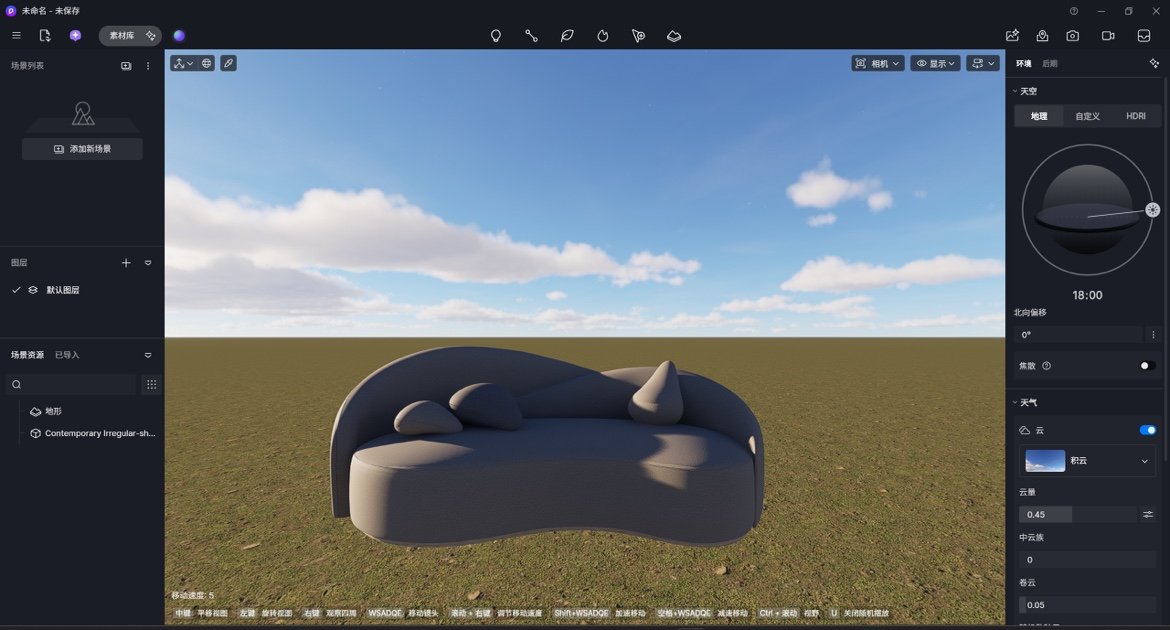
Approved

Rejected: Missing software interface screenshot
skp
Upload a SketchUp viewport screenshot or an exported view matching the cover image.
| Cover image | Software Interface / Process Screenshot | Result |
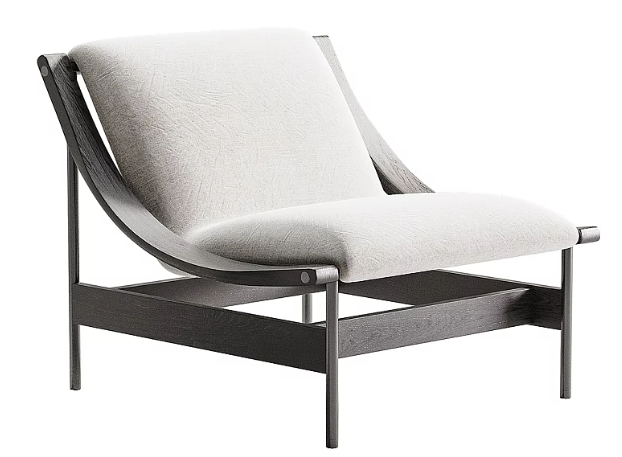 | 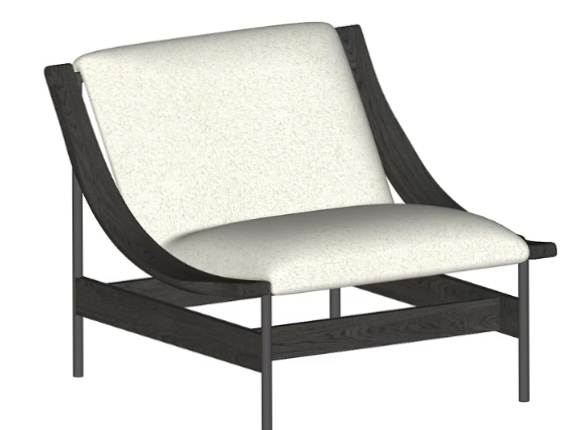 | Approved |
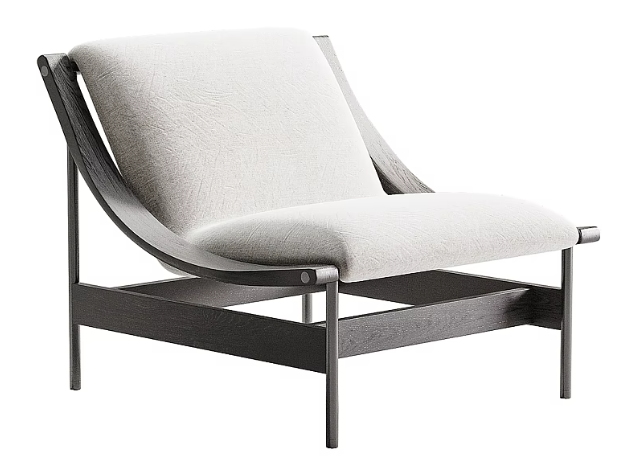 | Rejected: Missing software interface screenshot | |
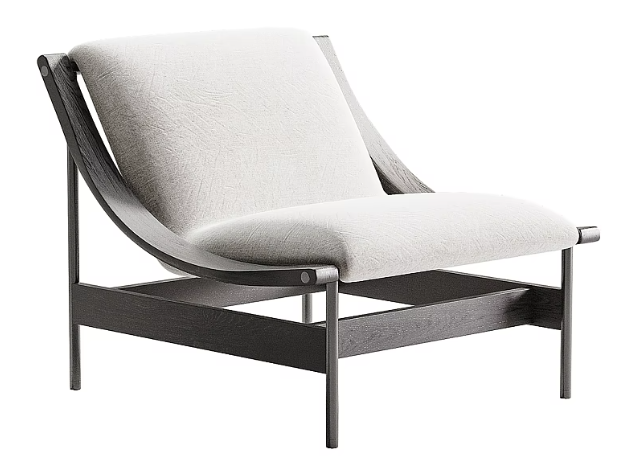 | 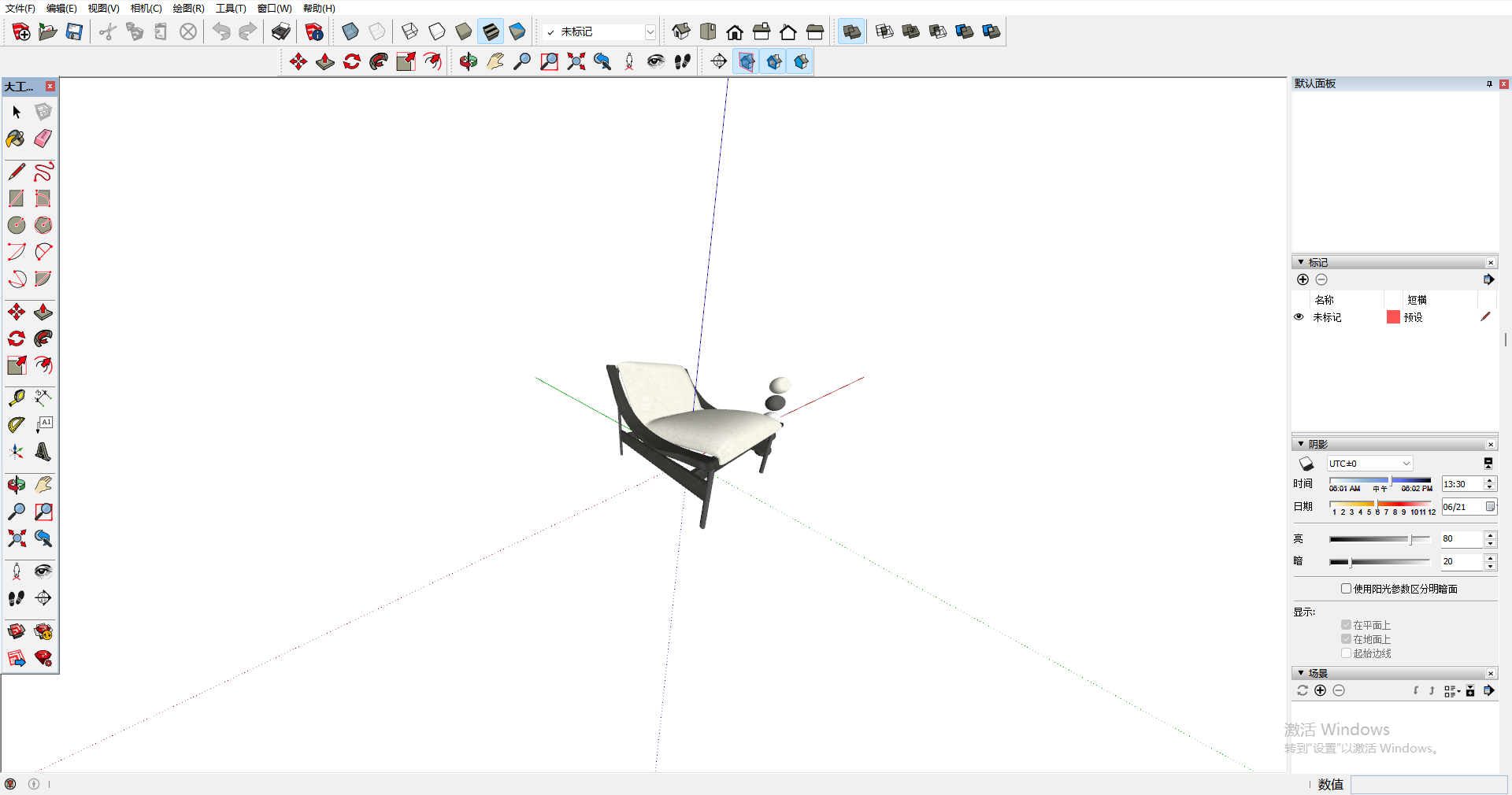 | Rejected: Remove all UI overlays, watermarks, and axes. Disable model edges to show a clean model view. |
max
Upload a 3ds Max wireframe screenshot matching the cover image.
| Cover image | Software Interface / Process Screenshot | Result |
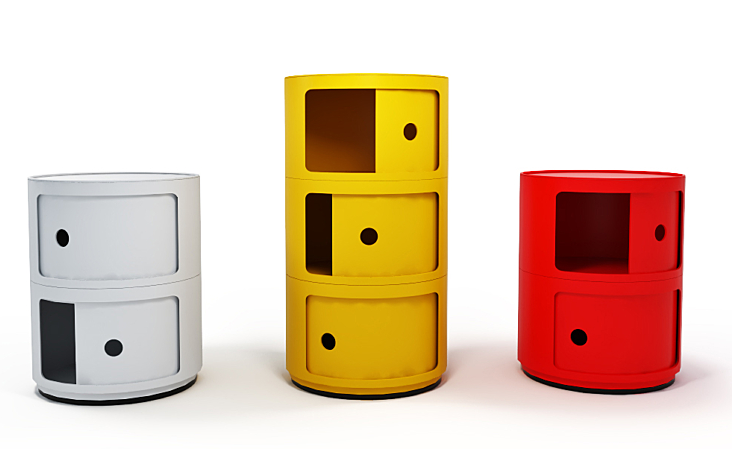 | 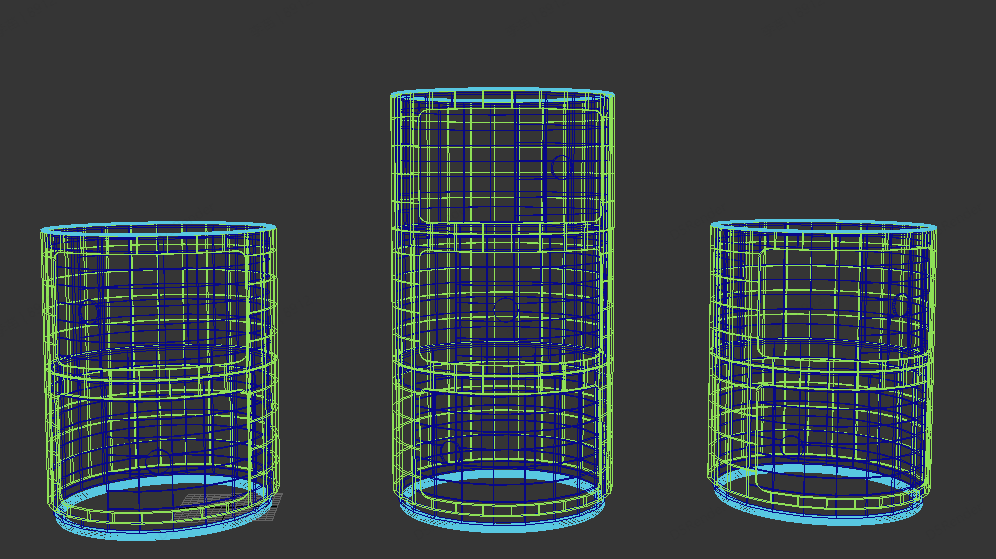 | Approved |
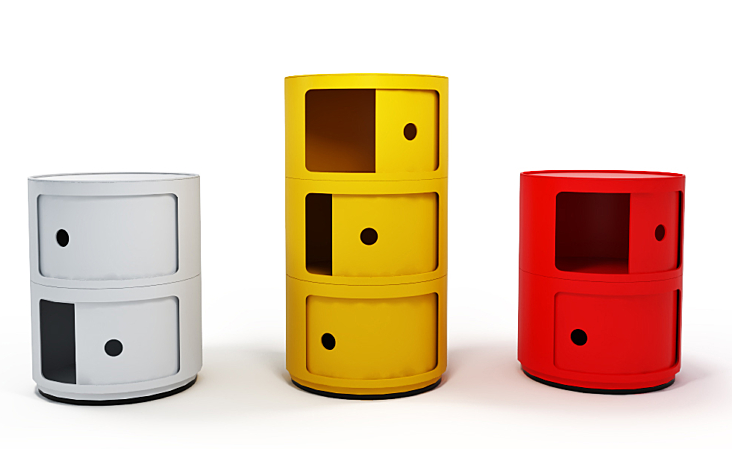 | 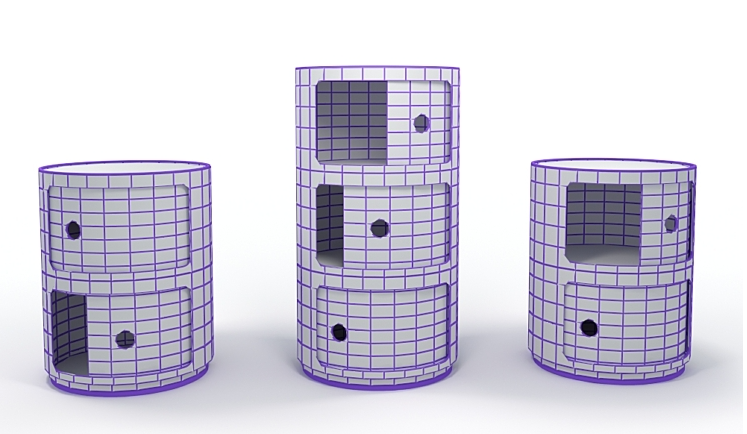 | Approved |
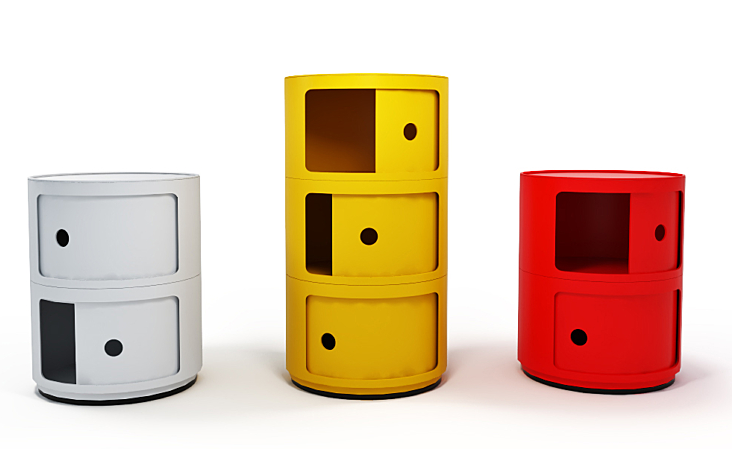 | 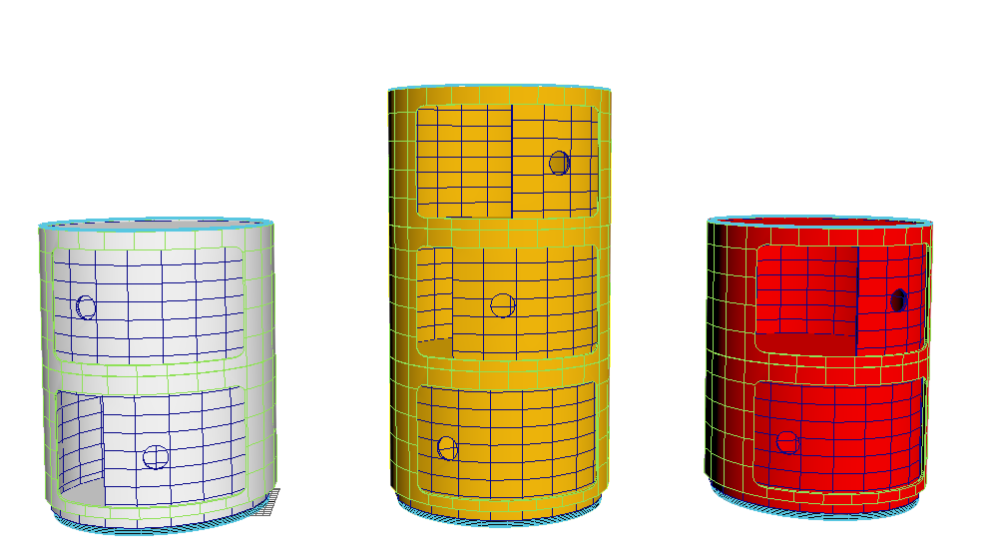 | Approved |
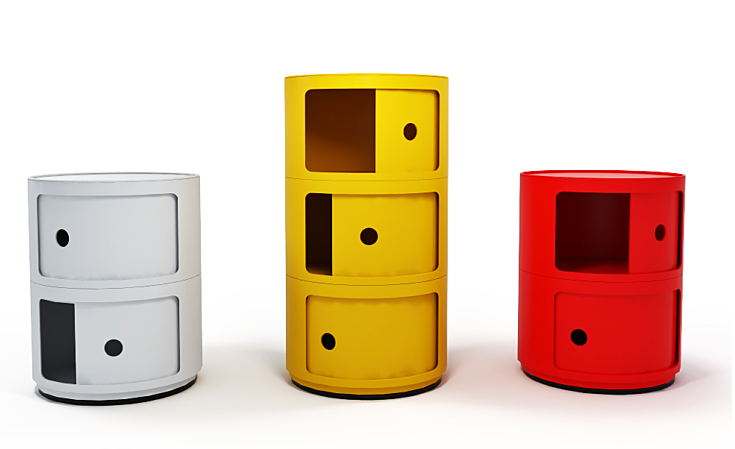 | Rejected: Missing wireframe image | |
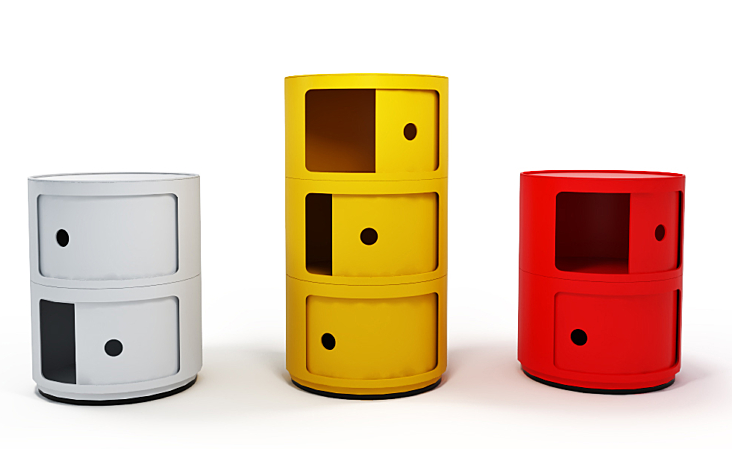 | 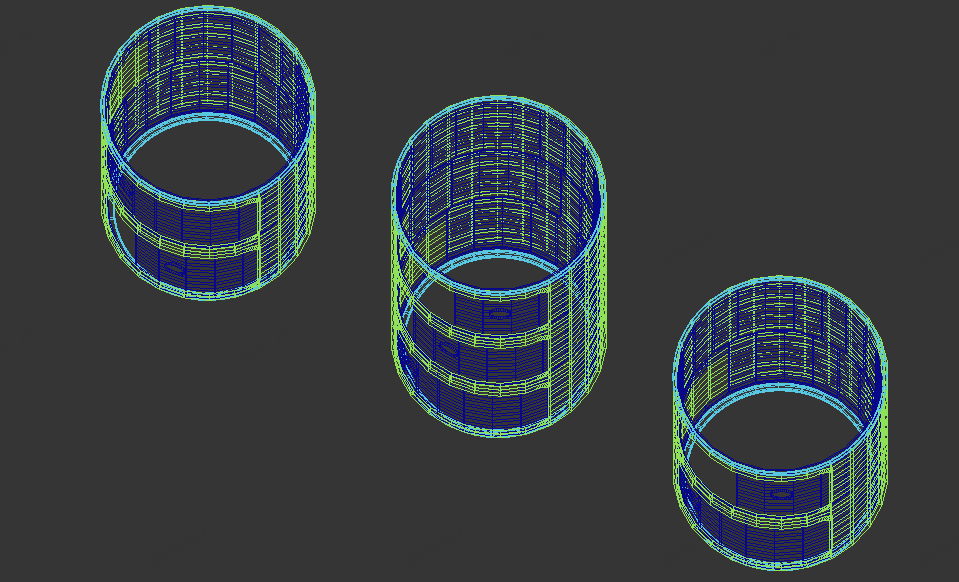 | Rejected: Wireframe angle does not match the cover image. |
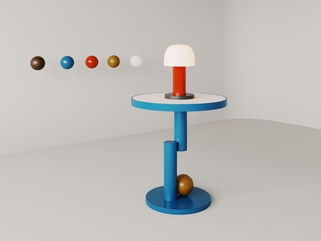
g.Display: For single models, please choose a perspective that appropriately frames the model, avoiding extremes in size. Use a light-colored background to highlight the model. Please refer to the examples below:
 | 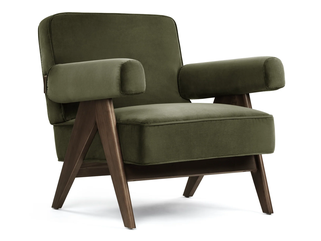 |  |
- Please compress 3ds Max/Blender models before uploading to avoid issues such as missing textures.
Supported compressed file formats: .rar, .zip, .7z
Please don't include nested compressed files (e.g., a zip file inside another zip), as the system won't be able to recognize or extract them properly.
Also, make sure the folder structure inside your compressed file does not exceed three levels.
- File size: 3ds Max model < 1000MB, SketchUp model < 500MB, Blender model < 1000MB, Rhino model < 1000MB.
- Version compatibility:
- For 3ds Max, we recommend uploading mainstream versions such as 2012 or 2014.
- For SketchUp, we recommend uploading mainstream versions such as version 8.0.
- For Blender, we recommend uploading mainstream versions such as version 2.9.
- For Rhino, we recommend uploading mainstream versions such as version 5.0.
- Please choose the accurate category and rendering information for your model to increase its search visibility.
- We recommend uploading at least four high-resolution images ( ≥1000 pixels). High-quality visuals significantly boost your model's visibility and downloads, increasing your potential revenue.
- We typically review user-uploaded content within 72 hours. Please note that review times may be extended during holidays.
- Content will not pass review if images are too small, watermarked, or do not accurately represent the model. Models lacking essential materials or textures will also be rejected.
- We recommend applying an officially suggested price for your models.
- When uploading models, please note that modeling plugins (e.g., floor or forest plugins) are not supported. Additionally, proxy and collapsed models are not permitted. If your submission includes these, you must also upload the original, editable model.
- We recommend uploading each model in multiple 3D formats such as max/skp/fbx/ojb/3ds to meet the needs of more users;
- If the creation of the model or image involves the use of generative AI tools, please mark the content as “Created by AI”.
Note: If models have different thumbnails, the system will categorize them as separate products.
Content Requirements:
We always encourage users to upload high-quality assets. If your submission is rejected or has low sales, it might be due to the following reasons:
Possible Reasons | Details | Example | |
Rendering issues | Poor material quality | Poor material rendering with issues such as unnatural colors or textures, excessive metallic finishes, opaque glass materials, etc. |  |
Overexposed images | Images with inappropriate lighting which led to overexposure. | 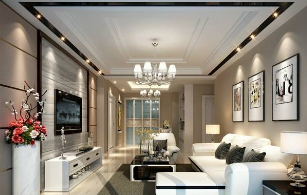 | |
Lack of rendering images | Raw models without any rendering images. | 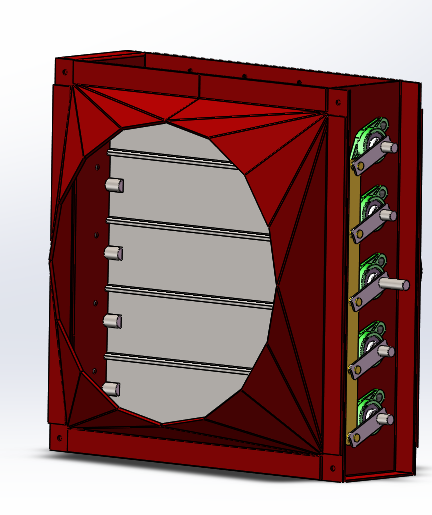 | |
Dark renderings | Dark renderings with dim/yellow lighting. | 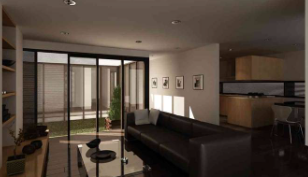 | |
Excessive noise | Excessive noise in renderings. | 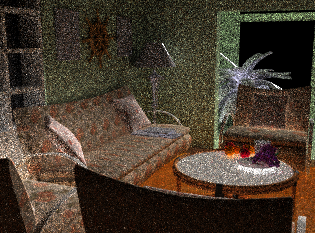 | |
Model issues | Broken models | Black spots, broken surfaces, or other shape defects in the model file. | 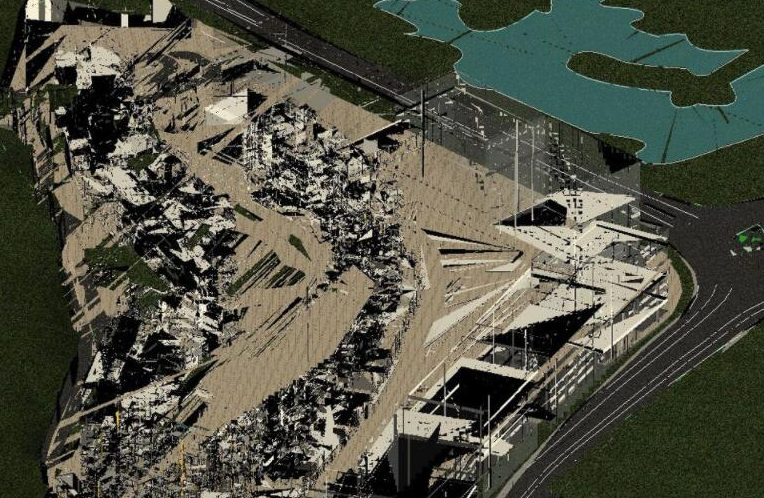 |
Disproportionate models | Issues such as model proportions not meeting industry standards, perspective problems, and model floating, etc. | 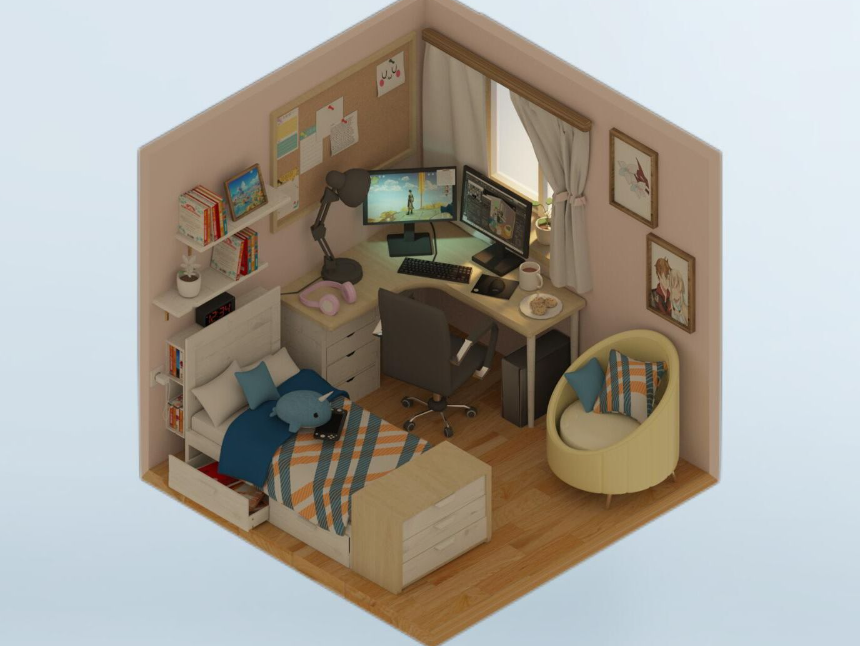 | |
Outdated models | Generic/outdated model design. |  | |
Model without material representation | Only white mold | 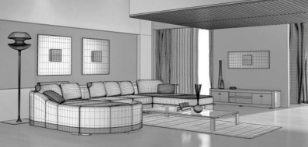 | |
Mismatched title and model | Discrepancy between title and actual item. | 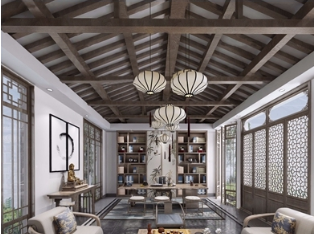 Modern Wardrobe | |
Thumbnail issues | Watermarks on thumbnail/model | Watermarks detected. | 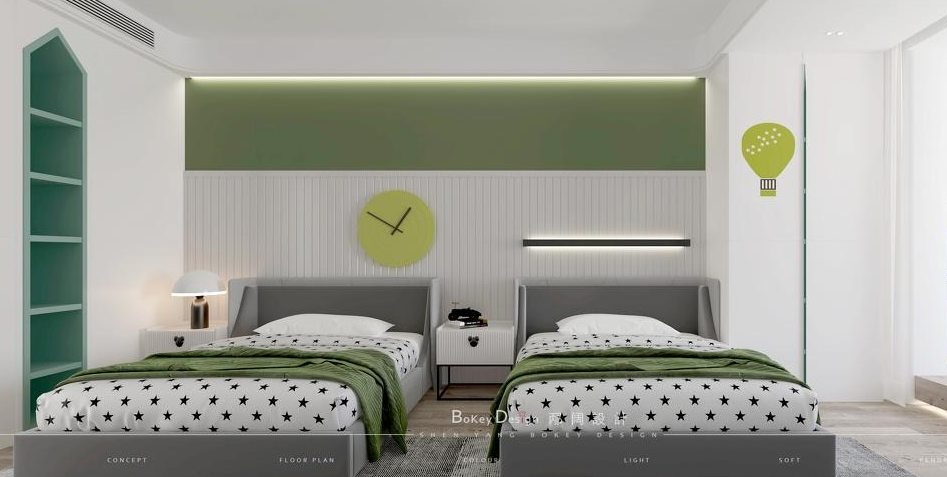 |
Blurry thumbnail | Small and unclear images. |  | |
Other issues | Model repetition | Uploading the same model multiple times with different images, or separately extracting and uploading specific parts of a model. | 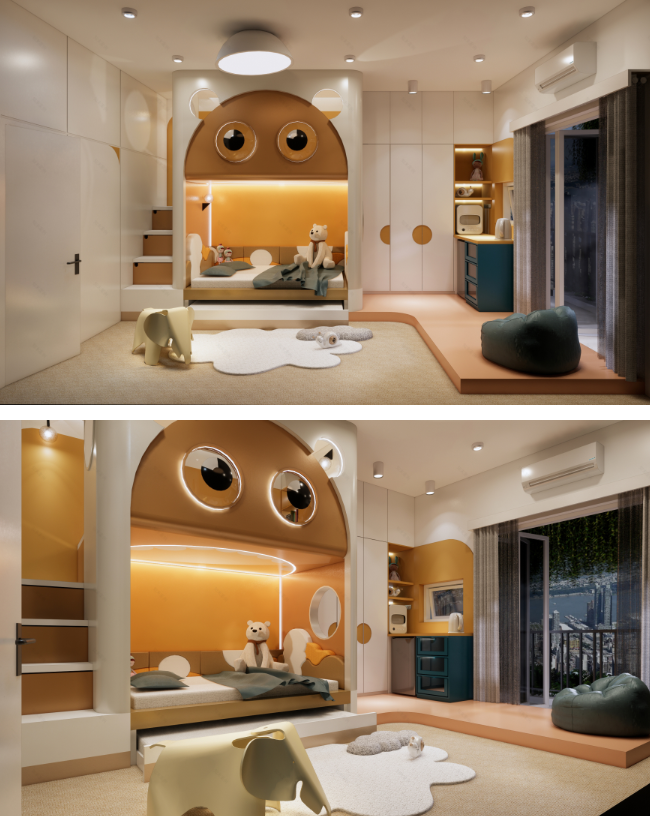 |
Not in compliance with relevant laws, regulations, and policy requirements | |||
- Please self-check your model against the points above, then update and resubmit it.
- If your model's quality meets the requirements and passes your self-inspection, and none of the listed issues apply, you can contact customer service or email works-support@d5techs.com to file a complaint.
Violation Determination & Handling
Violating Content: Definition & Handling Rules
Violating Content Determination
Your content will be deemed in violation if it includes any of the following behaviors:
- Spreading rumors, disrupting social order, and undermining social stability.
- Obscene, pornographic, gambling-related, violent, murderous, terrorist, or criminal content.
- Insulting or defaming others, or infringing upon the lawful rights of others.
- Inciting illegal assemblies, associations, parades, demonstrations, or gatherings that disrupt social order.
- Content related to “military-civilian dual-use technology.”
- False, harmful, coercive, privacy-invasive, harassing, defamatory, vulgar, obscene, or otherwise morally objectionable material.
- Any content restricted or prohibited by Singaporean laws, regulations, rules, ordinances, or any other legally binding norms.
Handling Rules
- If a violation is suspected, D5 has the right to reject the content and not execute the upload process.
- If a violation dispute arises and is verified by D5, D5 has the right to take down the corresponding content and warn the uploading user.
- Accounts that violate the rules multiple times will face penalties such as restrictions on model uploads, restrictions on profit withdrawals, lower priority exposure in model lists, and account bans.
Reporting Process
- Identify a violation and report to us
When you discover a violation, please describe the details and summarize the evidence in accordance with the above guidelines and send it to the D5 complaint email: works-support@d5techs.com.
- Platform processing
After receiving a report, our platform will review and process it as soon as possible in accordance with the handling rules.
- Conclusion
Upon completion of the processing, the reporter will be notified via email in a timely manner. Should the reporter have any concerns regarding the processing results, contact may be made with customer service or an email sent to works-support@d5techs.com to file a complaint.
Model Plagiarism Regulations
Model Plagiarism Determination
- Scene Model Plagiarism: Model theft is constituted if 80% or more of the "element blocks" (constituent elements of a space, e.g., walls, carpets, sofas, beds, background walls, windows, decorative items) in Model A and Model B are identical or substantially similar (possessing the same overall structure with material replacements), or if a substantial similarity between Model A and Model B is otherwise determined.
- Single Model Plagiarism: When Model B, a single asset model, is a direct reorganization of Model A without accompanying scene elements or significant redesign, it will be classified as model theft.
Handling Rules
- If a model plagiarism dispute arises, the model will be removed from the platform. The uploading user may adjust the disputed portion and re-upload it.
- Accounts with multiple instances of plagiarism may face penalties such as restrictions on model uploads, restrictions on revenue withdrawals, reduced priority in model list exposure, or account suspension.
- If the disputed model infringes upon the legitimate rights and interests of users, the platform, or third parties, the platform reserves the right to pursue legal responsibility against the uploader of the problematic model. Note: Should malicious reporting be discovered, the platform will hold the reporter accountable.
Reporting Process
- Report a model plagiarism Submit a report through the user support ticket system, providing detailed information and submitting relevant evidence.
- Platform Processing After receiving a report, the platform will review and process it in accordance with handling rules as soon as possible.
- Conclusion Upon completion of the processing, the reporter will be notified via email in a timely manner. Should the reporter have any concerns regarding the processing results, contact may be made with customer service or an email sent to works-support@d5techs.com to file a complaint.
Problematic Model Regulations
Problematic Model Determination
- Models are deemed problematic if, upon download, they are inconsistent with their thumbnail image or detailed page information.
- Models are deemed problematic if they are found to be restricted after a user download.
Handling Rules
- If a disputed model is submitted for platform review and found to be problematic, it will be taken down and all generated revenue will be cleared.
- Should a problematic model infringe upon the legitimate rights and interests of users, the platform, or third parties, the platform reserves the right to pursue legal action against the uploader of said model.
Note: Should malicious reporting be discovered, the platform will hold the reporter accountable.
Reporting Process
- Report a problematic model
Users can report a problematic model via the "Report" button on the model's details page. Please submit the necessary evidence as guided by the form questions.
- Platform processing
After a report is submitted, the platform will review and process it as soon as possible according to the handling rules.
- Conclusion Upon completion of the processing, the reporter will be notified via email in a timely manner. Should the reporter have any concerns regarding the processing results, contact may be made with customer service or an email sent to works-support@d5techs.com to file a complaint.
All images in this document are for illustrative purposes only and are not intended for commercial display. If any third party believes that their legal rights have been infringed by an image used herein, please contact us immediately. We will verify the situation and address it in accordance with the law.
Was this article helpful?
That’s Great!
Thank you for your feedback
Sorry! We couldn't be helpful
Thank you for your feedback
Feedback sent
We appreciate your effort and will try to fix the article